One of the best parts of YouPay is the ability to customize your profile so it truly feels like your space. Your page is part of your brand — and having the right image sizes makes a big difference in how polished and professional your profile looks. To help creators customize their profiles to the fullest, we’re sharing the recommended avatar and banner dimensions for each YouPay profile theme, along with safety zones to make sure important parts of your images are always visible.
Avatar Size (All Themes)
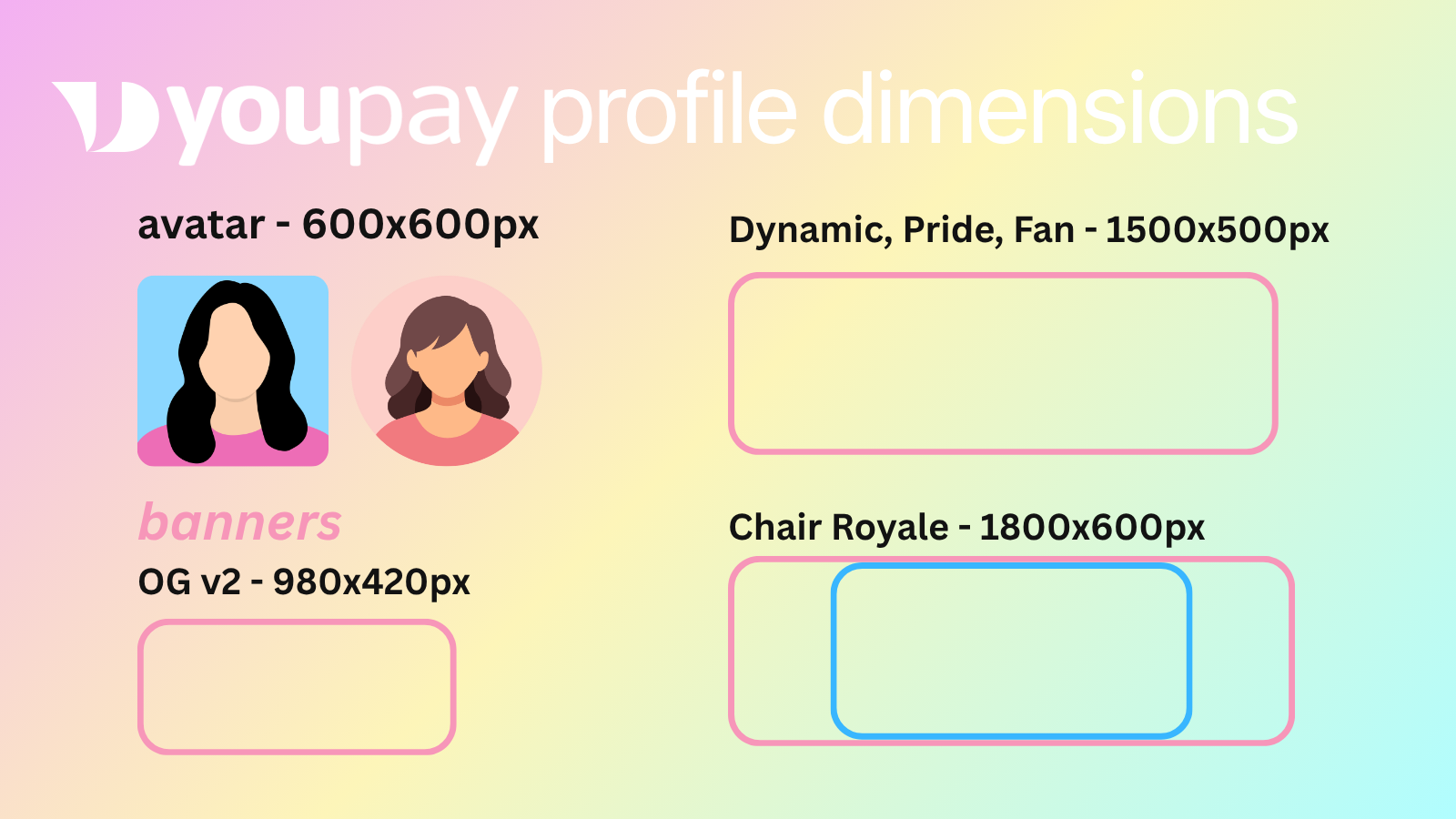
Across all YouPay profile themes, the avatar size is always 600px by 600px.
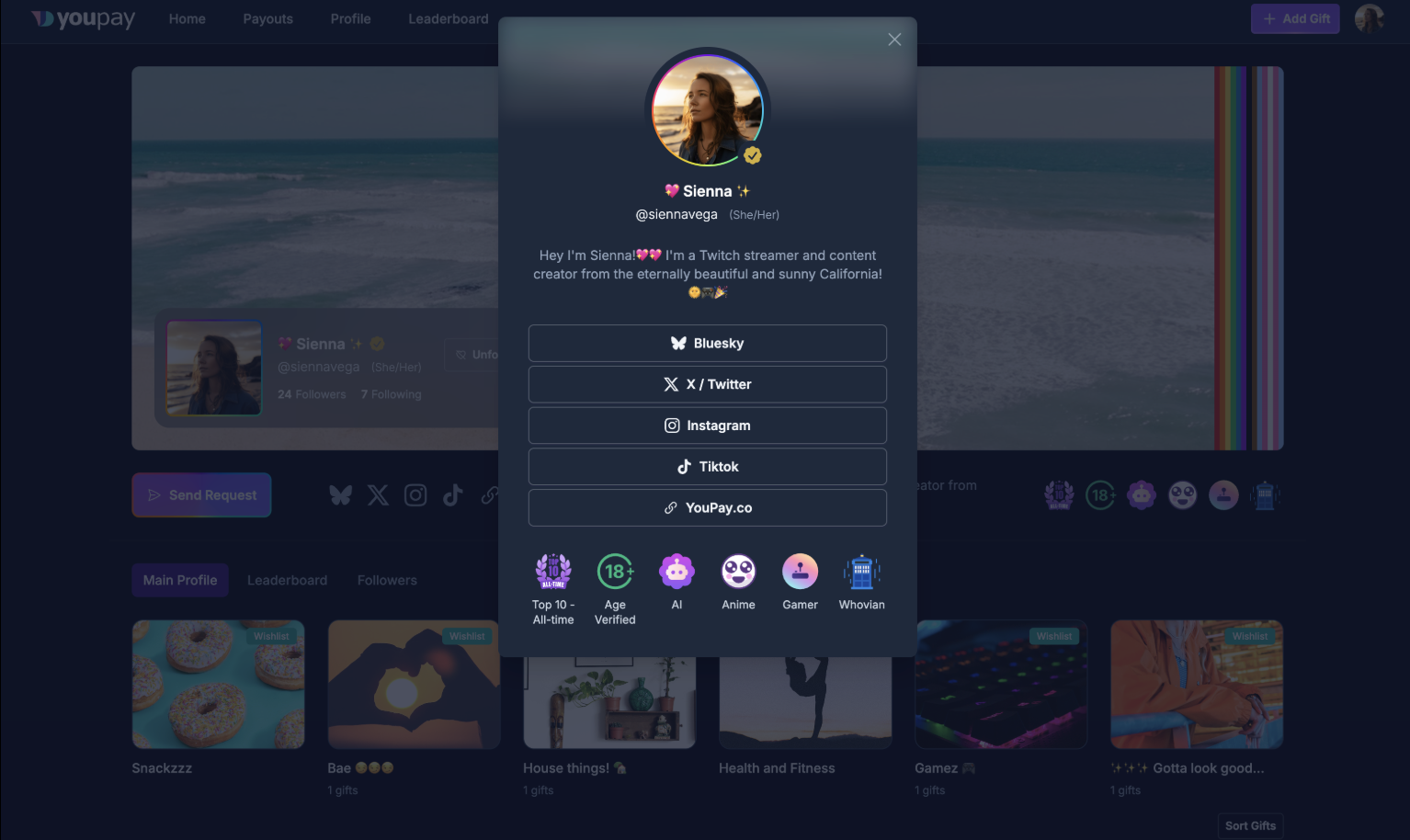
Depending on the theme, your avatar may appear as a square or a circle. This is determined by the theme layout, not by the creator, so don’t worry about editing your image into a circle yourself. We recommend keeping important elements like your face, logo, or text centered so nothing gets cropped regardless of the shape.
OG v2 Theme Banner Size
For the OG v2 Theme, the recommended banner size is 980px by 420px, which uses a 7:3 aspect ratio.
The safety zone for this banner is the right half of the image. This means any important text, logos, or key visuals should be placed on the right side so they remain visible across different layouts on the platform.
It’s important to note that you can upload an image at any size or aspect ratio. The platform will automatically center your uploaded image when displaying it across the site, but using the recommended size will give you the most control over how your banner appears.
Dynamic, Pride, and Fan Theme Banner Size
For the Dynamic, Pride, and Fan Themes, the recommended banner size is 1500px by 500px, which uses a 3:1 aspect ratio.
The primary safety zone for these banners is the top half of the image. Depending on the length of your display name, approximately the bottom right portion of the banner may also be visible, making that area a secondary safe zone for design elements.
As with all themes, you can upload any image at any aspect ratio or size, and the platform will center the image automatically. However, using the recommended dimensions will help ensure your design appears exactly how you intend.
Chair Royale Theme Banner Size
The Chair Royale Theme has a more dynamic layout because the banner displays differently depending on device size:
- Small devices: 3:1 aspect ratio
- Medium devices: 4:1 aspect ratio
- Large devices: 16:3 aspect ratio
Because of this, it’s recommended to design your banner using a 3:1 aspect ratio (1800px by 600px), while keeping your most important content within a center safety zone that fits a 16:3 aspect ratio. This ensures your banner looks good across mobile, tablet, and desktop.
The main safety zone is the top half of the banner. Keeping text, logos, and key visuals in this area will help prevent anything important from being cropped on different screen sizes.
Final Tips for Designing Your Banner
When designing your banner, keep these general tips in mind:
- Keep important text and logos inside the safety zones
- Avoid placing important details too close to the edges
- Use high-resolution images so your profile looks crisp and clean
- Think of your profile as part of your overall brand — consistent colors, fonts, and imagery go a long way
Customizing your YouPay profile is one of the easiest ways to make your page feel more personal, more professional, and more on-brand. With the right image sizes and a well-placed design, you can make a strong first impression the moment someone lands on your page.